
SES error messages: what they mean and what to do
When a report doesn't reach the Ministry, or reaches it with a problem, the booking's page shows a notice above the guest list; when the problem is one guest's alone, it appears in red right under their name. Find the title you see below to learn what it means and what to do: amber notices need an action from you, blue ones are for information only.
Last reviewed: 9 October 2026
Not sent — this property has no SES credentials
What it means: nothing was sent to the Ministry, because the property has no SES Web Service username and password saved. The guests' details are kept.
What to do: press "Open property settings", enter the SES username and password in the Legal tab and test them. Then come back to the booking and press "Retry Ministry".
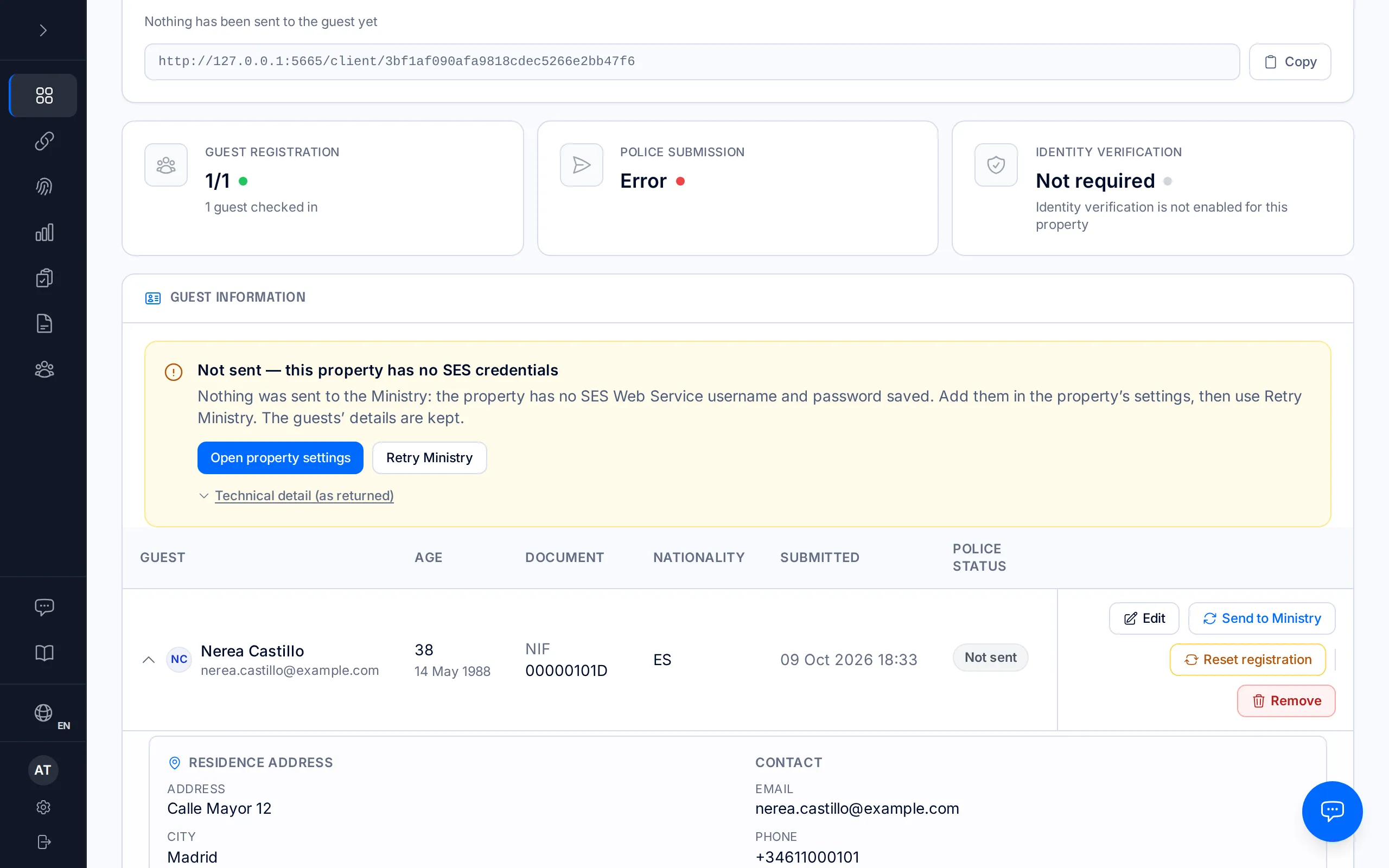
Not sent — SES did not recognise the property’s lessor code
What it means: SES accepted the Web Service username and password — they are fine — but did not recognise the lessor code sent with the report. The guests' details are not involved.
The variant "Filing held — add the lessor code in property settings" is the same setting, but empty: SES requires it in every report, so BookCheckin sends nothing until it exists.
What to do: copy the lessor code from the SES Hospedajes portal ("Mis datos registrados"), add or correct it in the property's Legal tab — "Open property settings" takes you to that field — and press "Retry Ministry".
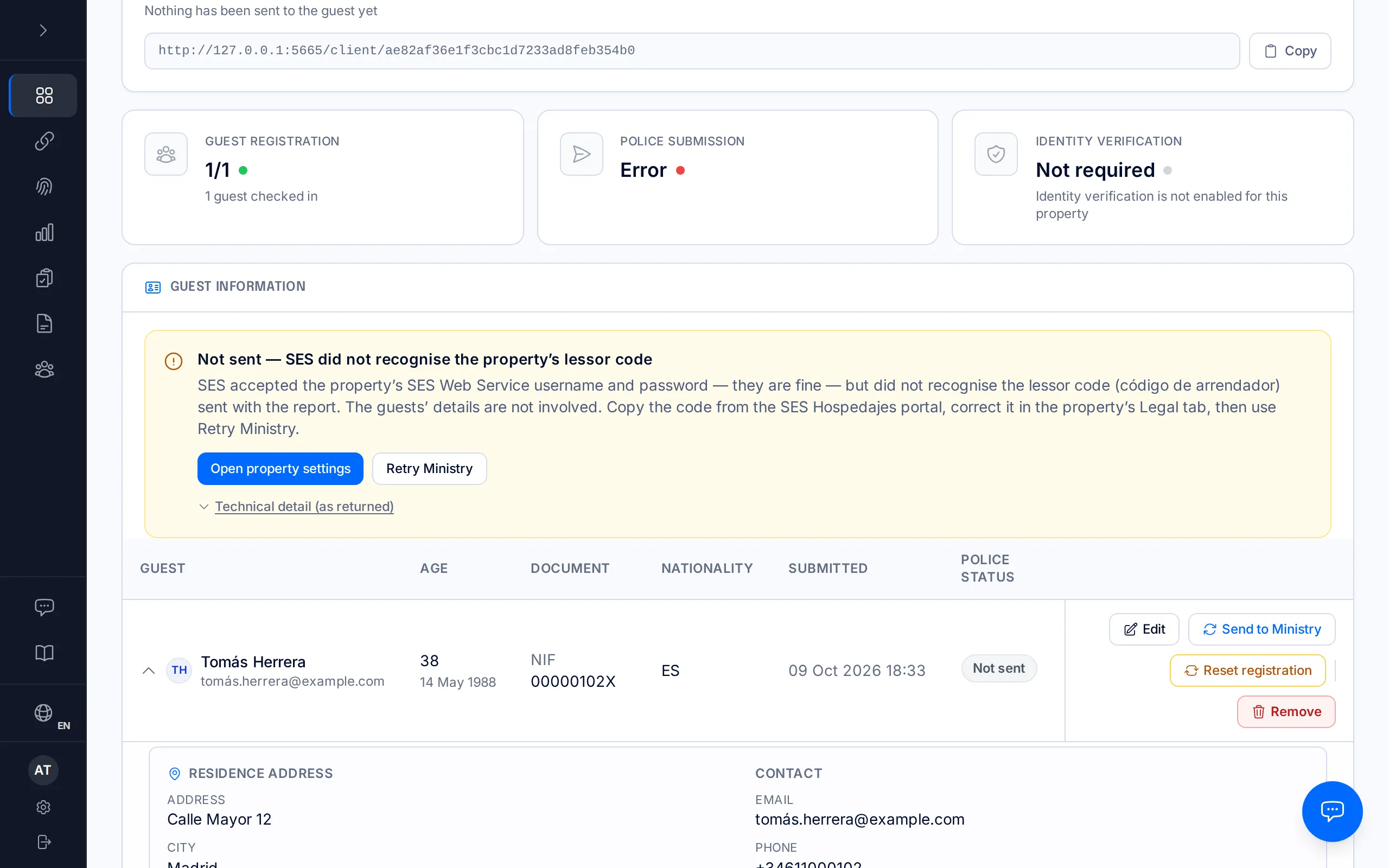
Not sent — SES does not recognise the establishment code
What it means: SES does not find this property's establishment code among the establishments of the SES account used to file. The guests' details are fine. The most common cause is a regional registration number saved in its place (for example "REGAGE00e00000000000") instead of the ten-digit code the Ministry issues (for example 0000123456).
What to do: copy the code from the SES Hospedajes portal ("Mis datos registrados" → "Lista de establecimientos"), correct it in the property's Legal tab — "Open property settings" takes you to that field — and press "Retry Ministry".
If instead of this notice you see "Rejected — the Ministry does not recognise the establishment code", SES accepted the batch and rejected it later while processing it. Correct the code the same way, but to send the guests again use "More actions → Cancel submission" and then "Re-file corrected submission": "Retry Ministry" only sends guests who were never filed. See "When an SES submission fails", step 4.
Cancelling and re-filing are only available to owners and managers.
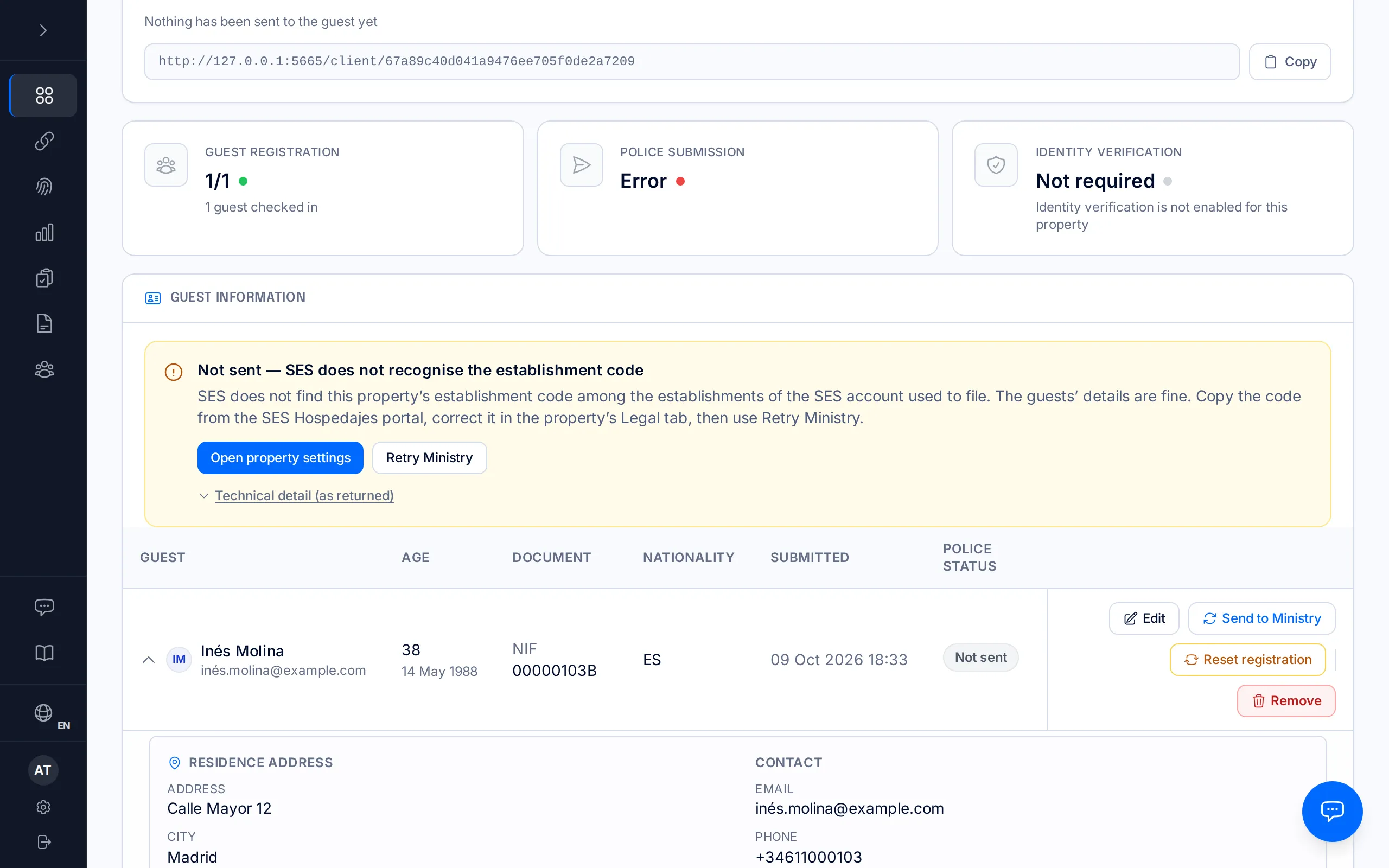
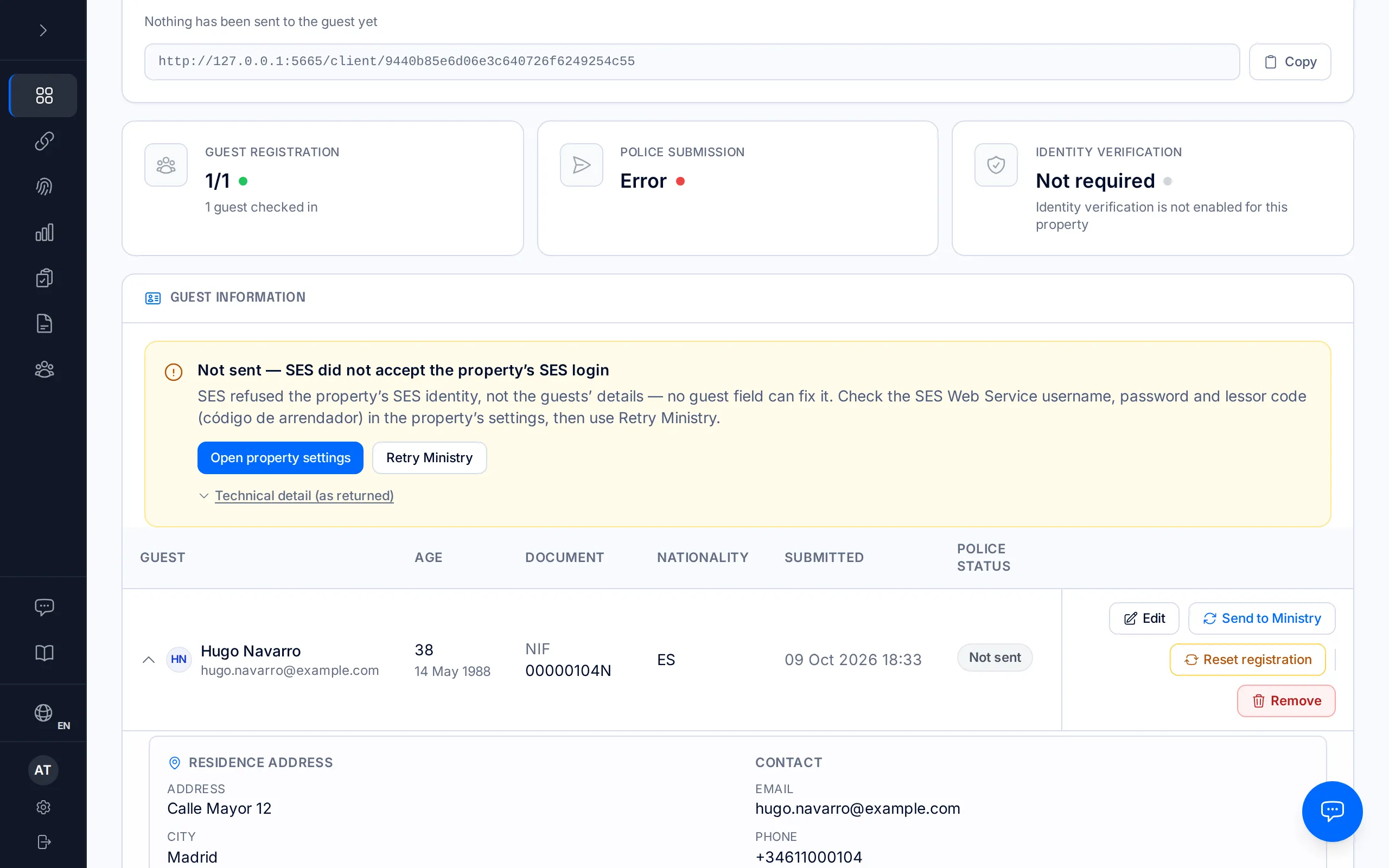
Not sent — SES did not accept the property’s SES login
What it means: SES refused the property's SES identity, not the guests' details — no guest field can fix it. It may be the username, the password or the lessor code: in this case SES does not say which of the three.
What to do: check all three in the property's Legal tab ("Open property settings"), test the connection again and press "Retry Ministry". If you changed the password in the SES portal, enter it again here.
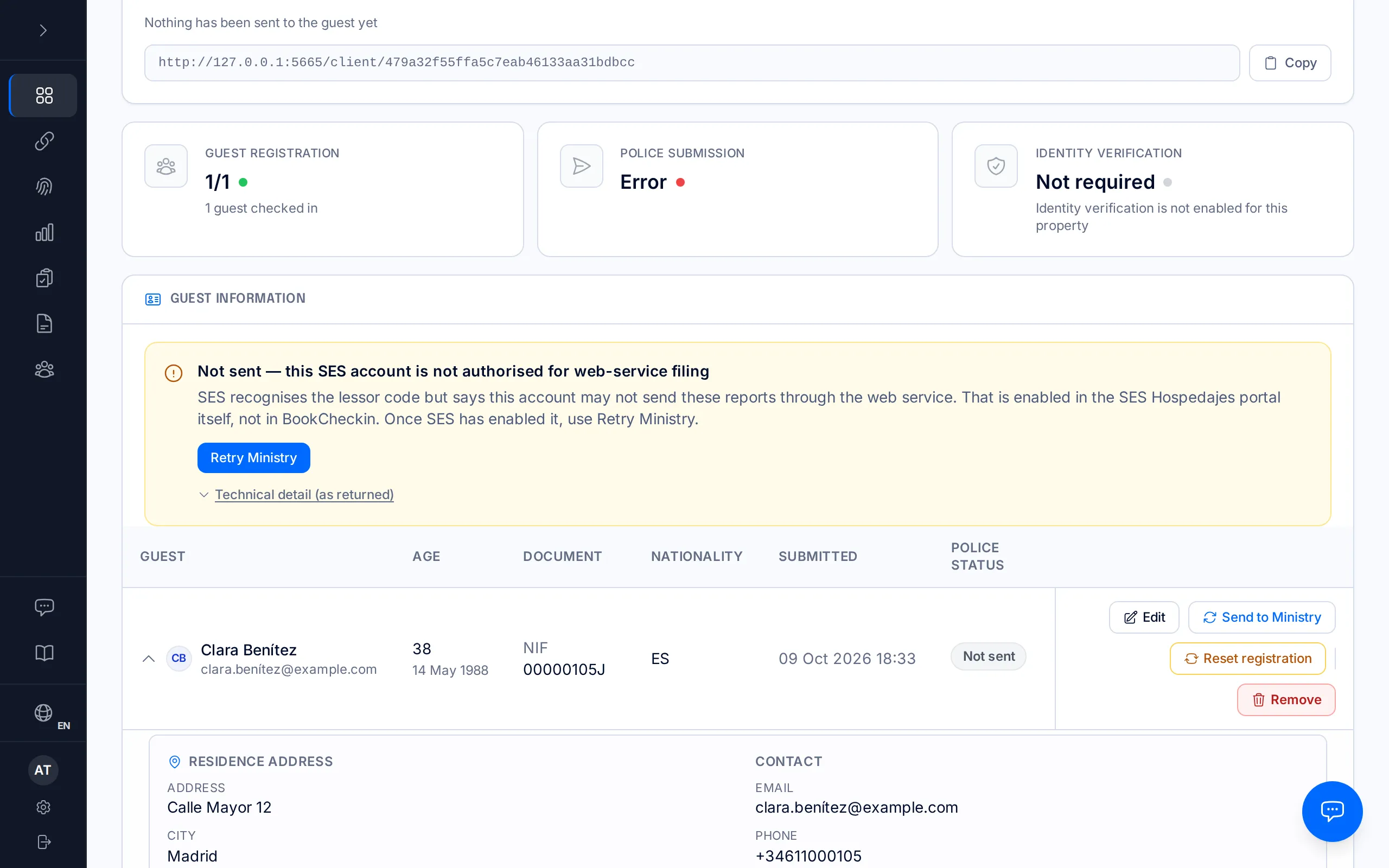
Not sent — this SES account is not authorised for web-service filing
What it means: SES recognises the lessor code but says this account may not send these reports through the web service; the Ministry returns it as [10119] or [10120]. That is enabled in the SES Hospedajes portal itself, not in BookCheckin, and nothing on the booking changes it.
What to do: in the SES Hospedajes portal, enable web-service filing for your lessor account. Once SES has enabled it, come back to the booking and press "Retry Ministry".
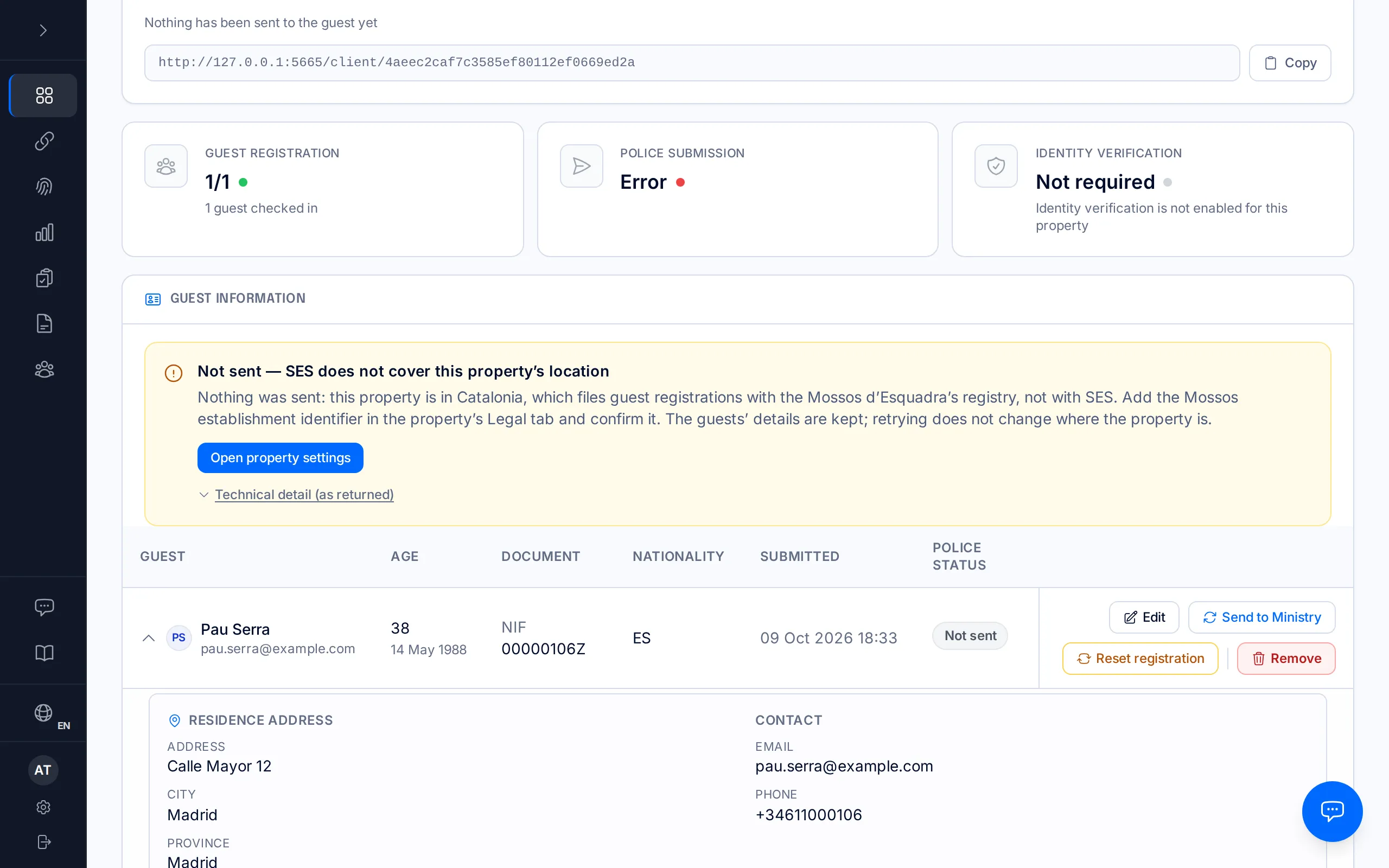
Not sent — SES does not cover this property’s location
What it means: nothing was sent, because SES Hospedajes does not cover where this property is located. Retrying stops at the same point — it does not change where the property is — which is why this notice offers no "Retry Ministry". The guests' details are kept.
What to do: it depends on where the property is, and the notice itself says which. In Catalonia, guest registrations are filed with the Mossos d'Esquadra's registry, not with SES: add the Mossos establishment identifier in the property's Legal tab and confirm it. In the Basque Country they are filed with the Ertzaintza's Registro Hostelero: add the Ertzaintza establishment code in the Legal tab and switch it on.
Outside Spain there is no SES filing at all: if the property's address is wrong, correct the country in its settings; if it is right, write to hello@bookcheckin.com.
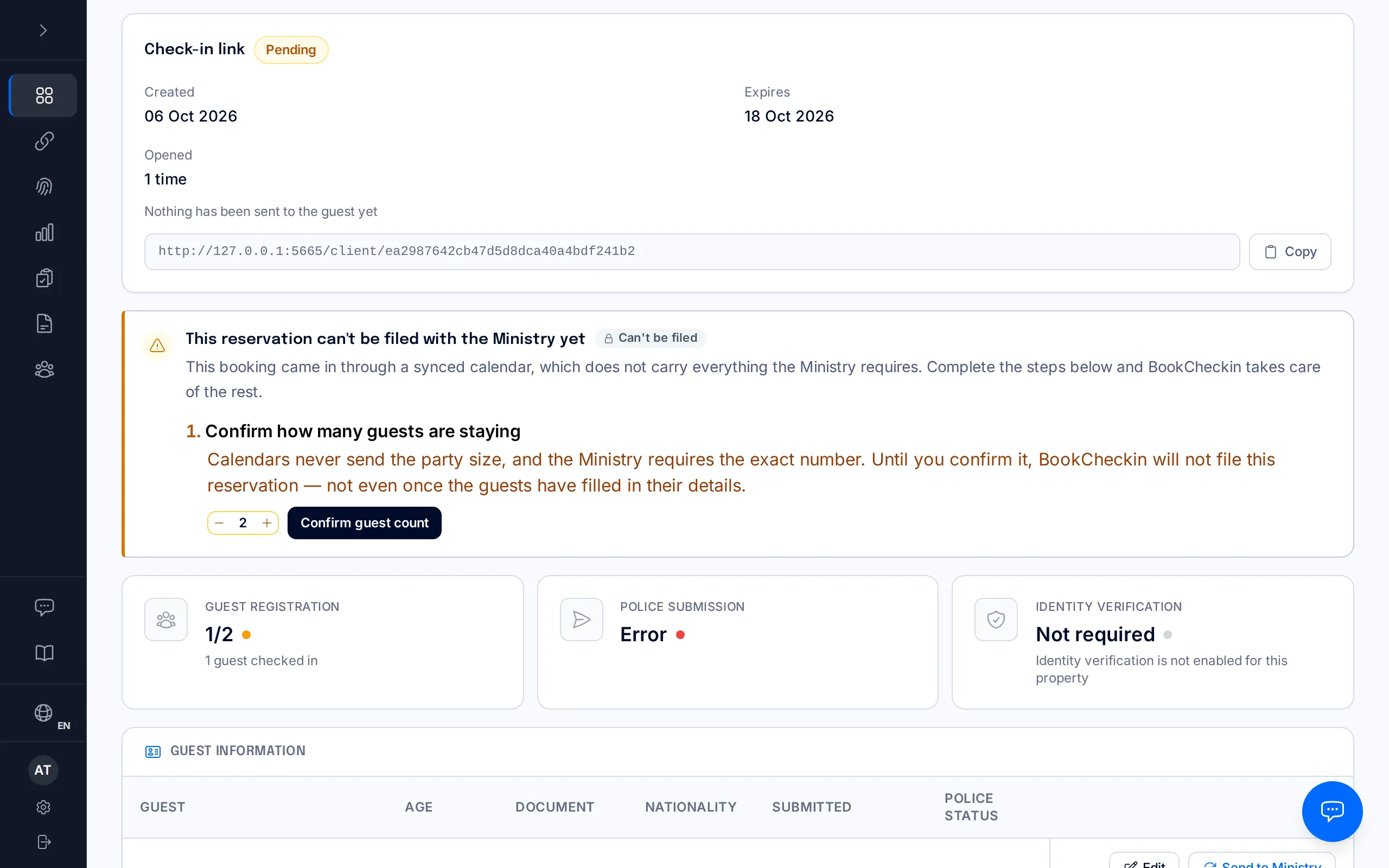
Waiting for the guest count to be confirmed
What it means: the booking came from a synced calendar (iCal), which does not say how many people are staying, so it is not filed until an owner or manager confirms the guest count. On the booking's page it reads "This reservation can't be filed with the Ministry yet", with the step "Confirm how many guests are staying".
What to do: adjust the number and press "Confirm guest count". As soon as the guests have filled in their details, the booking is filed on its own. If you had already confirmed it and a notice from an earlier attempt remains, press "Retry Ministry".
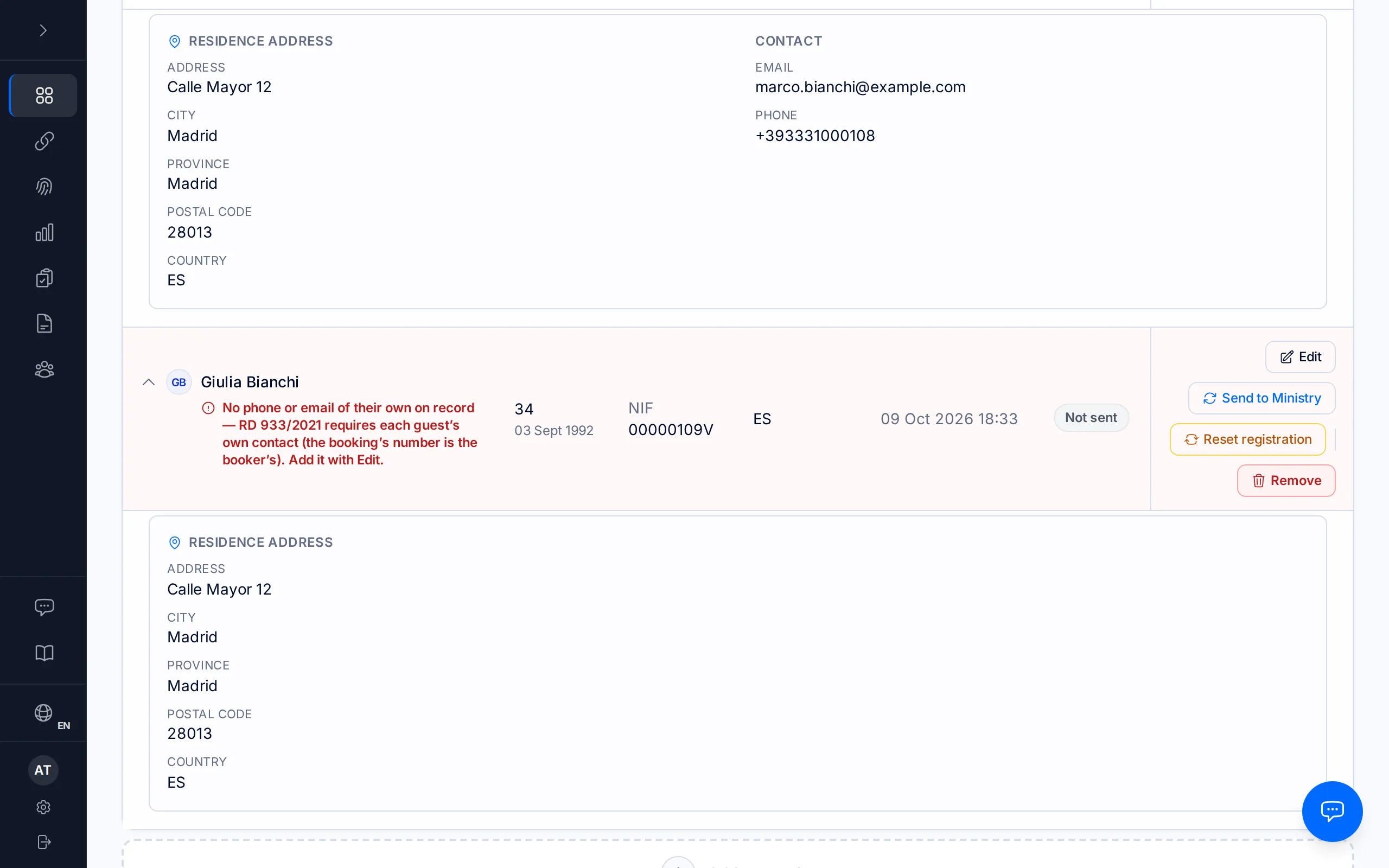
A red line under one guest
What it means: the problem is that one guest's, not the booking's or the property's. There is no general notice: the red line under their name says exactly what is missing or wrong, and the other guests are not affected.
Common cases: no phone or email of their own on record (RD 933/2021 requires each guest's own contact — the booking's is the booker's); no first surname or date of birth; an incomplete home address, or a postal code that does not point to a single town; a nationality or country of residence SES does not recognise; a support number in the wrong format (a DNI's is 3 letters and 6 digits, for example BMP123456; a NIE or TIE's is "E" and 8 digits, for example E12345678); a name or surname with characters SES does not accept (it must be written in Latin letters); or, after a Ministry rejection, the exact detail SES returned for that guest, for example a postal code that is not 5 digits.
What to do: press "Edit" next to that guest, correct the detail and save. If the booking had not been sent yet, press "Send to Ministry" or "Retry" on their row; if the Ministry had already rejected it, saving sends it again on its own, unless automatic sending is off for the property: then press "Send to Ministry". If the same person appears twice with no document, remove one of the two rows.
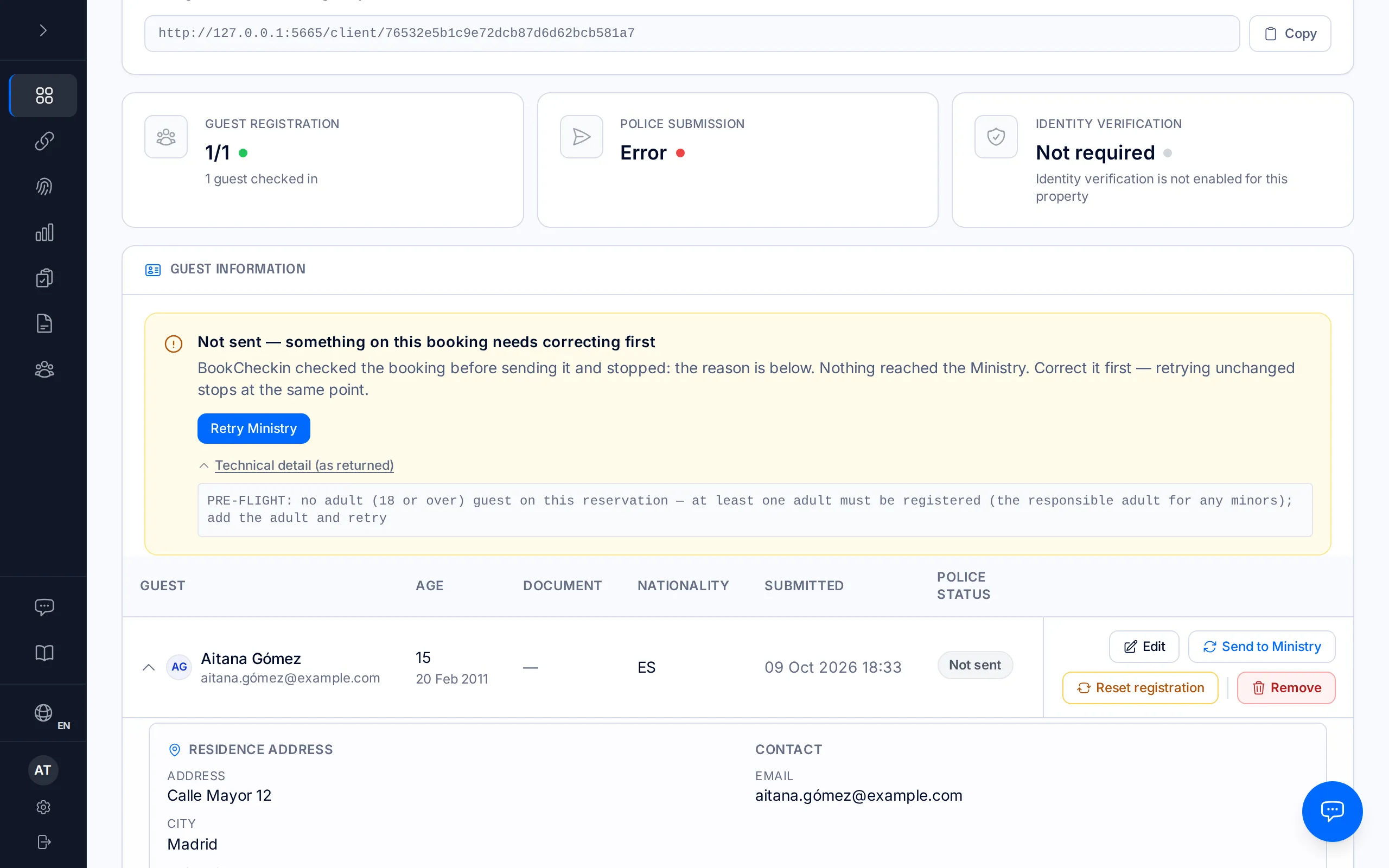
Not sent — something on this booking needs correcting first
What it means: BookCheckin checked the booking before sending it and stopped — the reason is in the "Technical detail", right under the notice. Nothing reached the Ministry. It appears when the problem is the booking as a whole rather than one particular guest: for example, no guest is an adult.
What to do: correct what the detail names and press "Retry Ministry". Retrying unchanged stops at the same point.
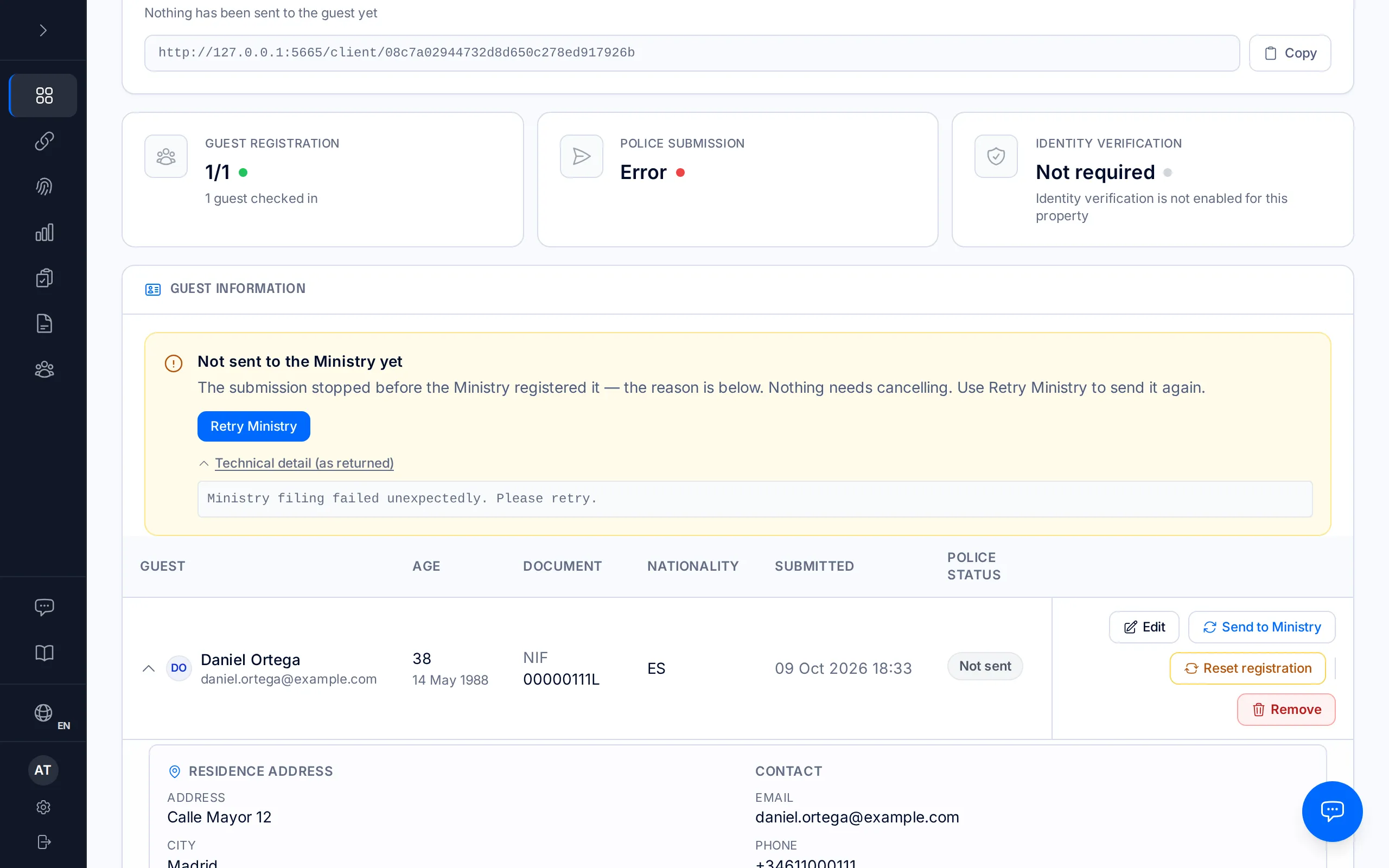
Not sent to the Ministry yet
What it means: the submission stopped before the Ministry registered it — a brief connection problem or a technical error while preparing the report; the reason is below, as returned. The Ministry has not given any answer about these guests yet, so nothing needs cancelling.
What to do: press "Retry Ministry". If it happens again, copy the technical detail and write to hello@bookcheckin.com.
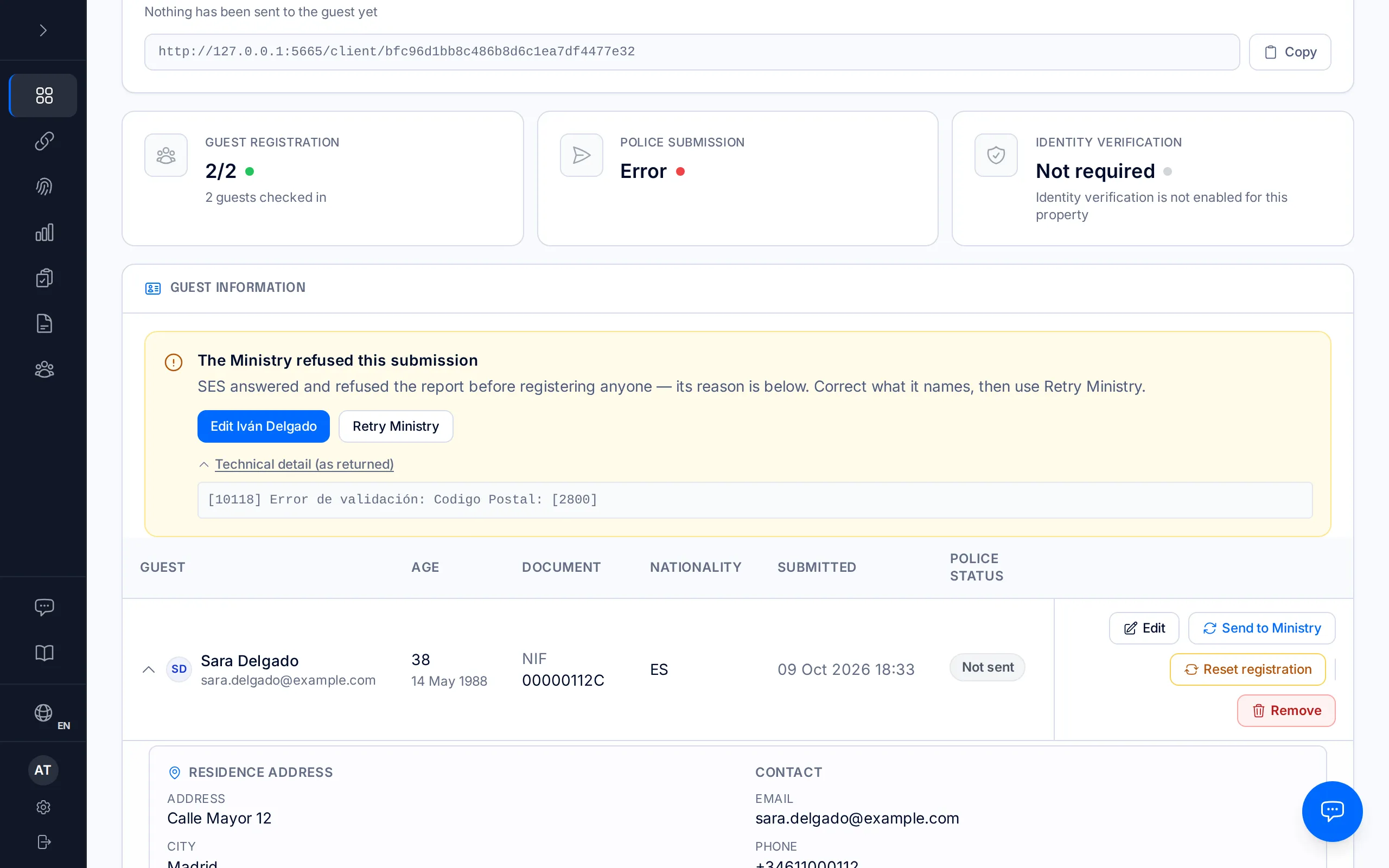
The Ministry refused this submission
What it means: SES answered and refused the report before registering anyone — its reason is below, with the bracketed code the Ministry returns (for example [10118]). No guest is on file, so nothing needs cancelling.
What to do: correct what the reason names — if it names a guest's detail, the notice offers "Edit (name)" — and press "Retry Ministry".
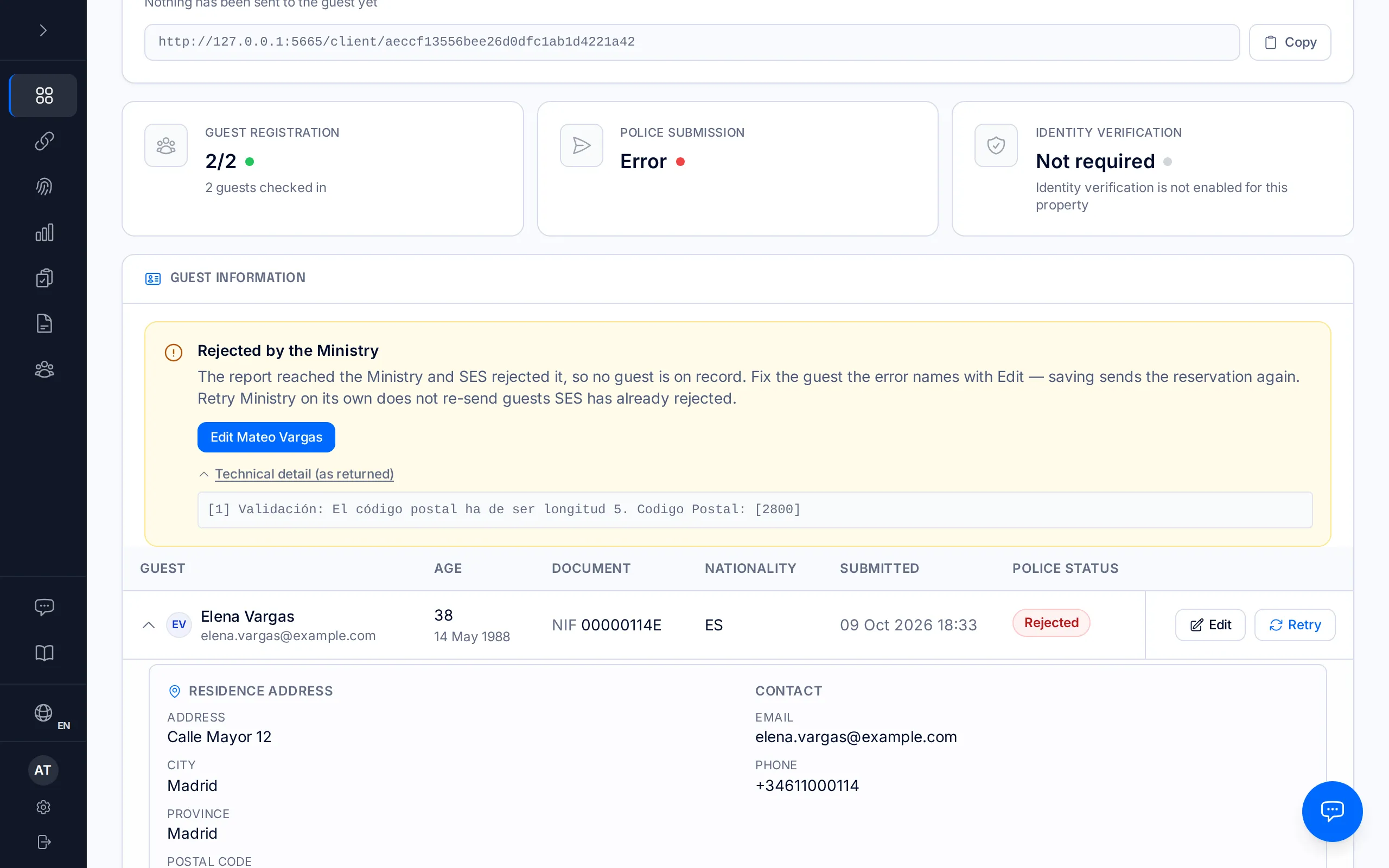
Rejected by the Ministry
What it means: the report reached the Ministry and SES rejected it, so no guest is on record. The reason is below, exactly as the Ministry returned it.
What to do if the reason is a guest detail: correct it with "Edit" — if the notice identifies the guest, it offers "Edit (name)" — and save: saving sends the whole booking again.
What to do if the reason is the establishment code, or if any guest on the booking is already on file as accepted: cancel it from "More actions → Cancel submission", correct what was wrong, then press "Re-file corrected submission". See "When an SES submission fails", step 4.
"Retry Ministry" doesn't help here: it doesn't resend guests the Ministry already rejected.
Cancelling and re-filing are only available to owners and managers; staff can use "Edit".
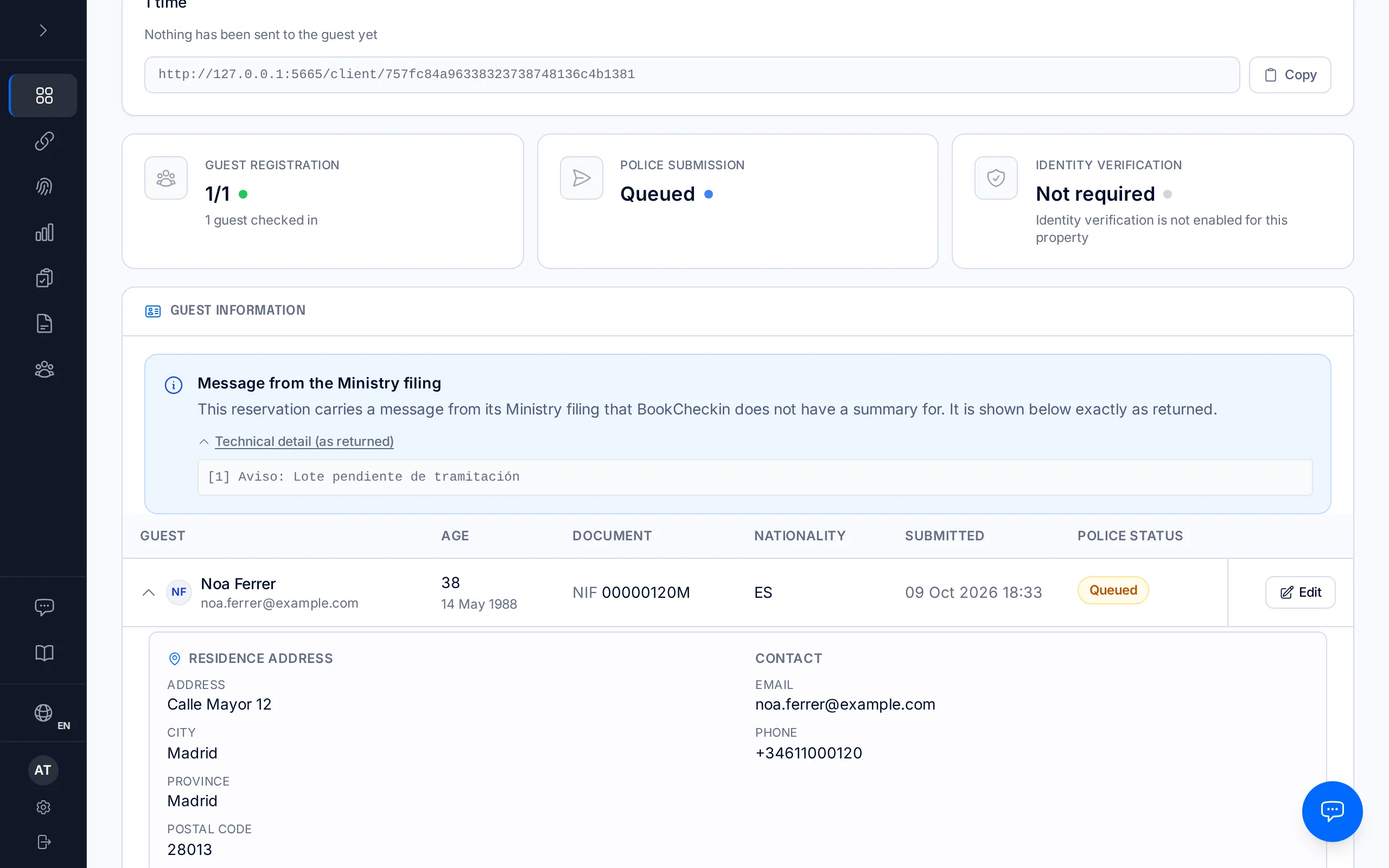
Partly rejected by the Ministry
What it means: the report reached the Ministry and SES processed it with errors: at least one guest is not on record, and SES's answer does not say which guests it did accept. Common causes: a surname in a non-Latin alphabet, or a postal code, document number or support number in the wrong format. When SES names one particular guest's detail, the notice appears in red under that guest instead of here (see "A red line under one guest").
What to do: fix the guest the error names with "Edit" — the notice offers "Edit (name)" when it can identify them — and save: saving sends the booking again. If it is not clear which guest it refers to, cancel it from "More actions → Cancel submission", correct it and press "Re-file corrected submission" (see "When an SES submission fails", step 4). "Retry Ministry" on its own does not re-send guests SES has already rejected.
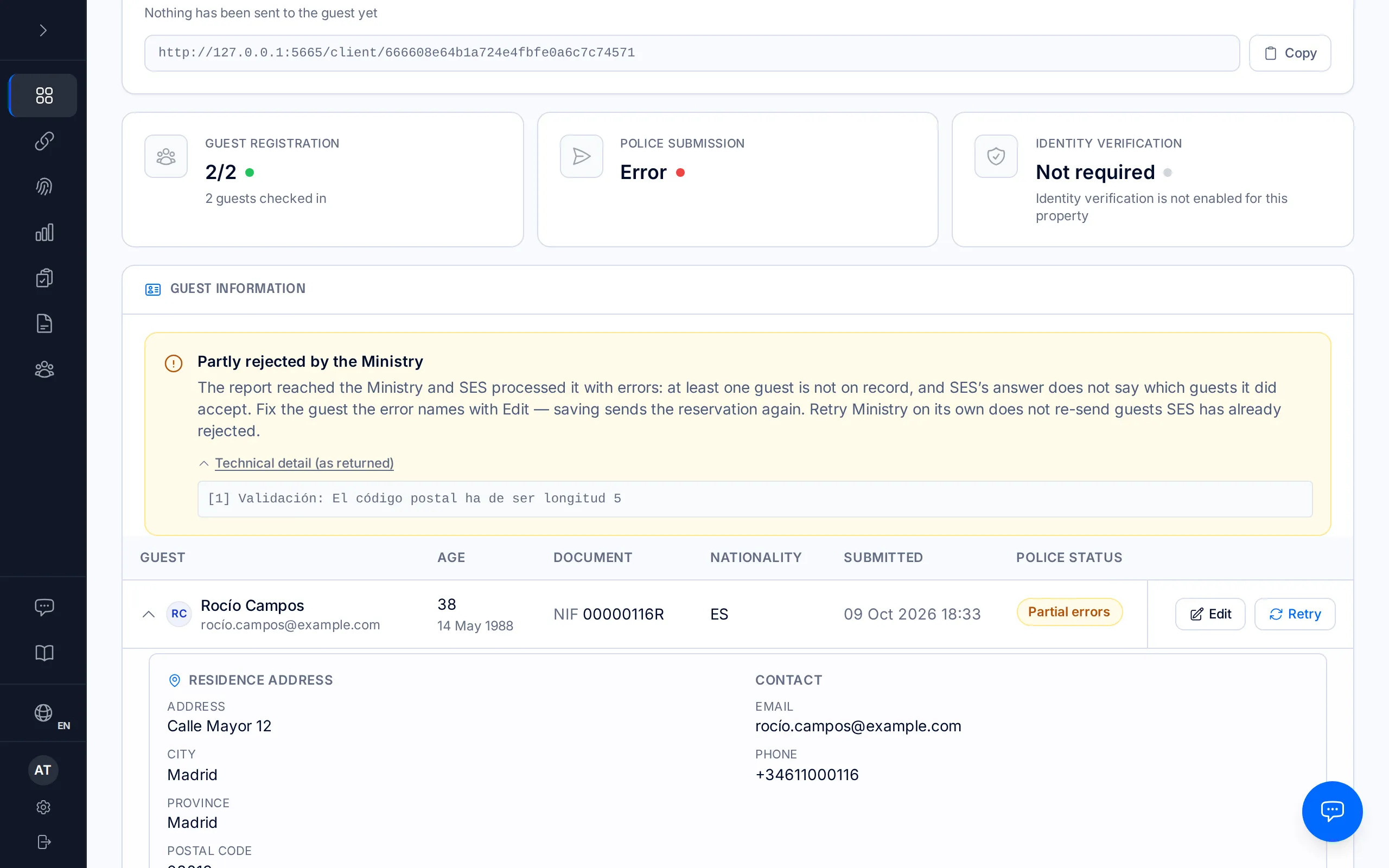
Already registered with the Ministry
What it means: SES already had this exact report on file, so no second copy was registered. The Ministry says so with "Ya existe un lote creado con el mismo fichero" or "Ya existe una comunicación con estos datos" ([10121]). The guests are on record.
What to do: nothing.
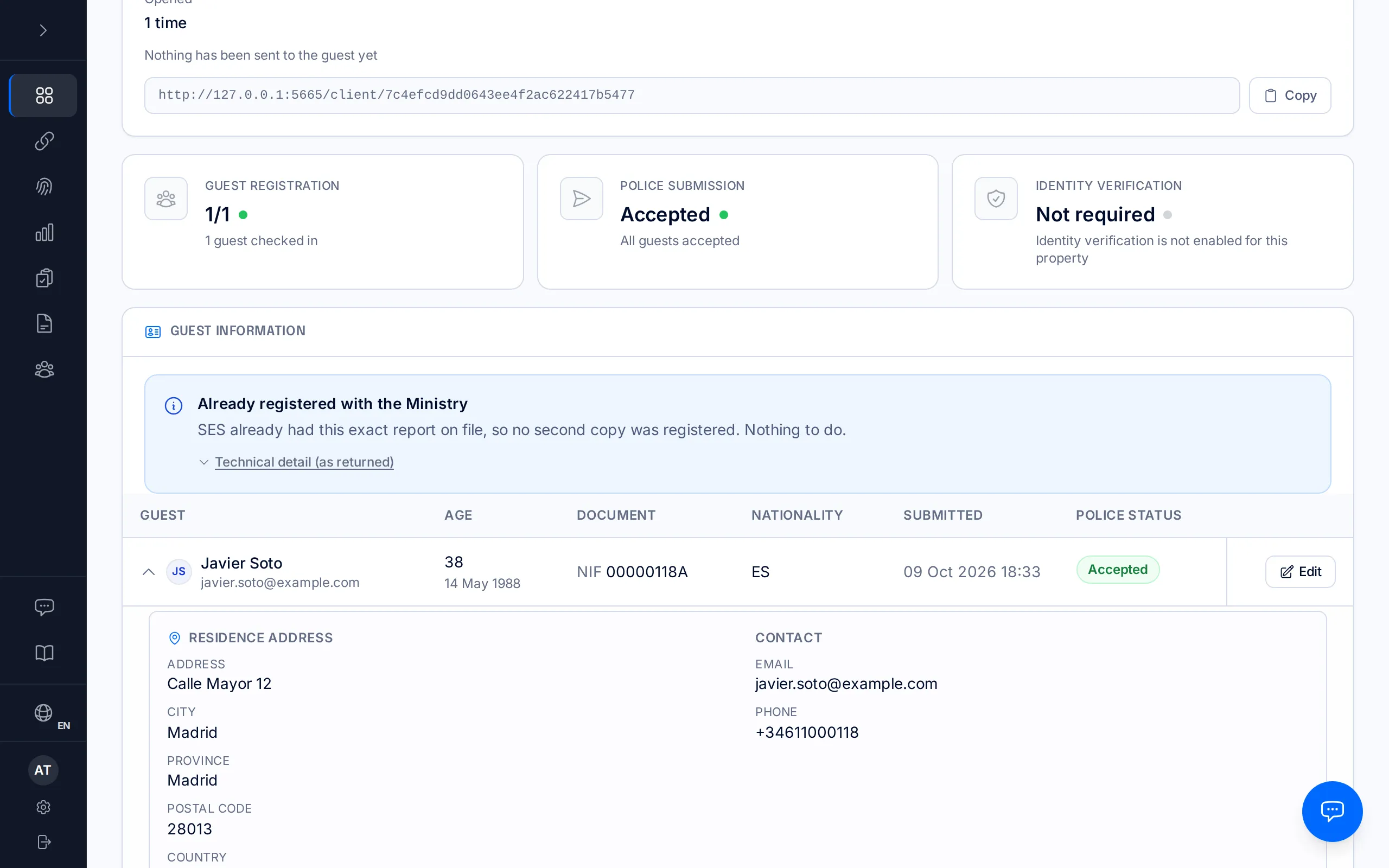
Cancellation did not go through — still registered
What it means: an attempt to cancel this filing at the Ministry failed, so the guests are still on record at SES exactly as before. The reason is below.
What to do: read the reason and, once it is resolved, press "Cancel submission" again — the notice itself has the button. If SES refuses to cancel, write to hello@bookcheckin.com with the technical detail.
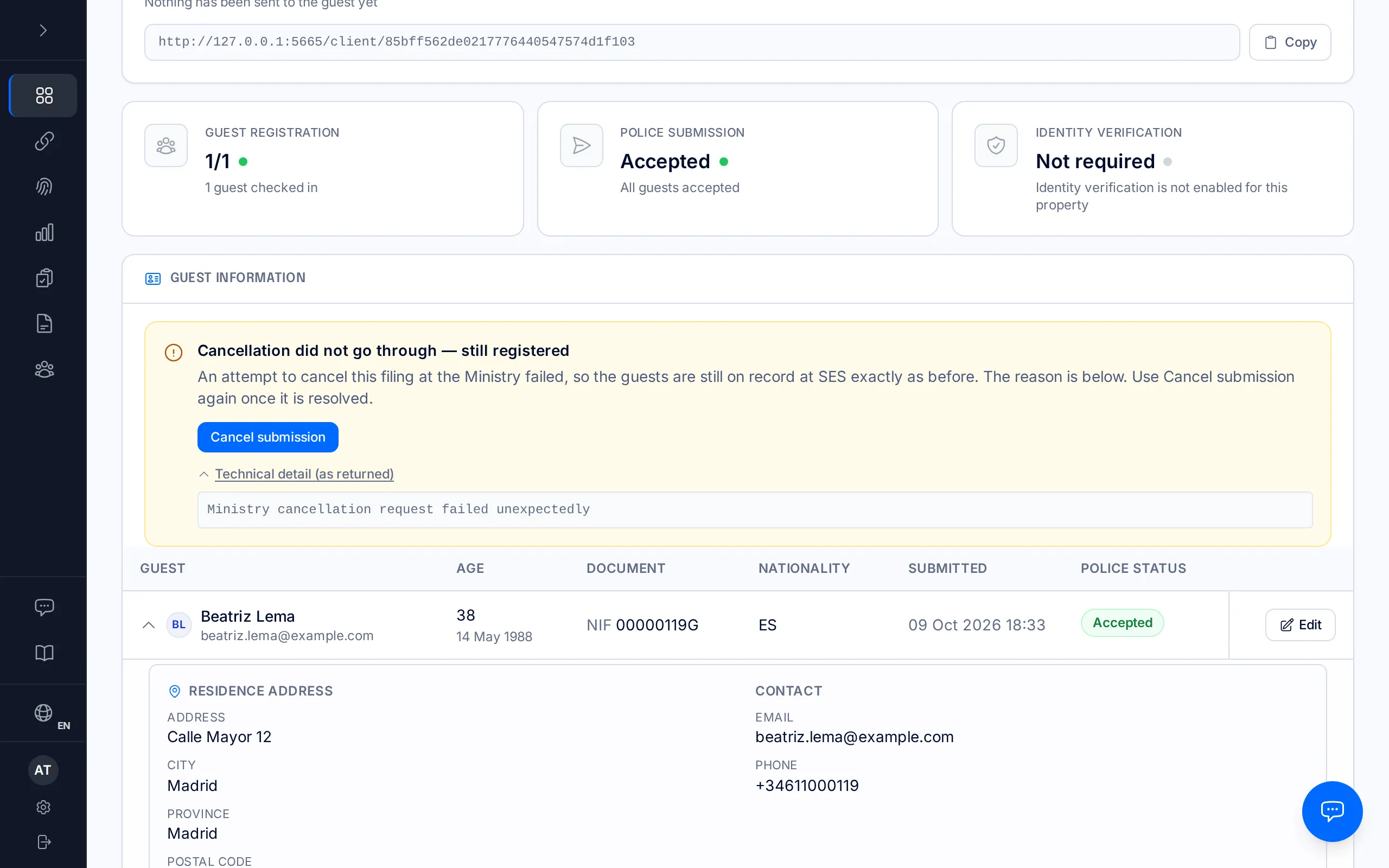
Message from the Ministry filing
What it means: this booking carries a message from its Ministry filing that BookCheckin does not have a summary for. It is shown below exactly as returned. It is usually a Ministry note about a batch still being processed, or a new reply BookCheckin does not recognise.
What to do: if the batch is still being processed, wait — BookCheckin checks its status periodically and the notice changes once SES answers. If it has stayed like this for more than a day, or the text mentions an error, write to hello@bookcheckin.com with the technical detail.
Frequently asked questions
Does the 24-hour deadline to report to SES still apply while the error is unresolved?+
The legal 24-hour deadline to report to SES Hospedajes still applies from the guest's check-in, even while an error is unresolved. Responsibility for the filing sits with the property's account holder (RD 933/2021).
What is the "Technical detail (as returned)"?+
It is SES's exact reply, or the exact reason BookCheckin stopped, neither summarised nor translated. If you write to us about a notice, copy it whole: it is what we need to see what happened.
Related manuals
When an SES submission fails
Diagnose the real error the Ministry returned, fix the guest data that caused it, and resubmit the report within the legal deadline.
How a check-in works, from start to finish
The whole journey of a traveller registration: from sending the link to the Ministry accepting the guest's report, and what you can do at every step in between.
Getting started: company, property and SES credentials
Set up your account, your first property, and get everything ready for your first check-in.